Know which closeout documents and punch items are still open, who owes them, and which are overdue.
Commercial Construction Closeout Toolkit: two Excel workbooks, an owner handoff checklist and a quick-start guide, built for small commercial contractors who run closeout in Excel and email.
I am checking whether this is worth opening a store for. Below is what the finished files look like and one question for you.
What is in it
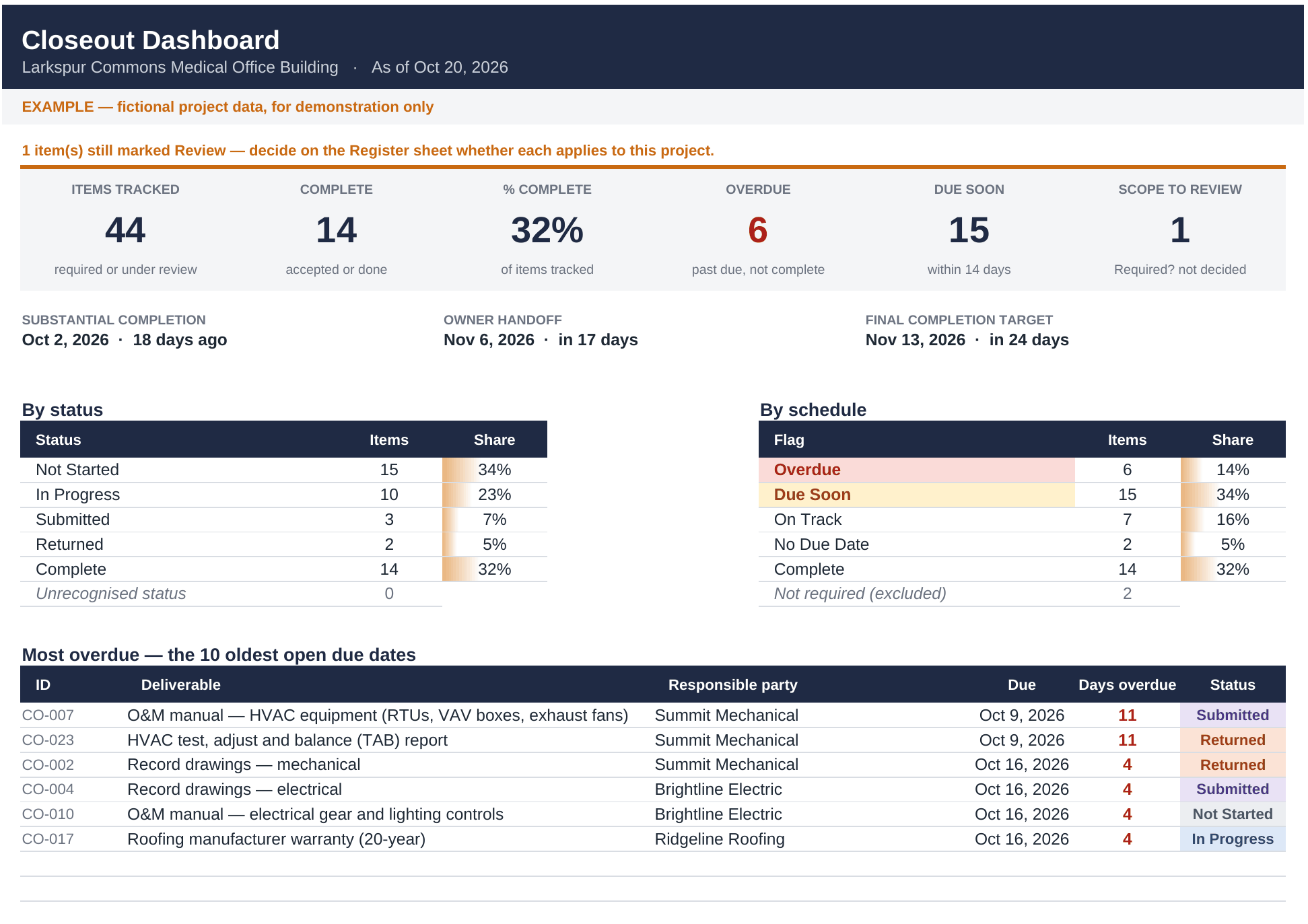
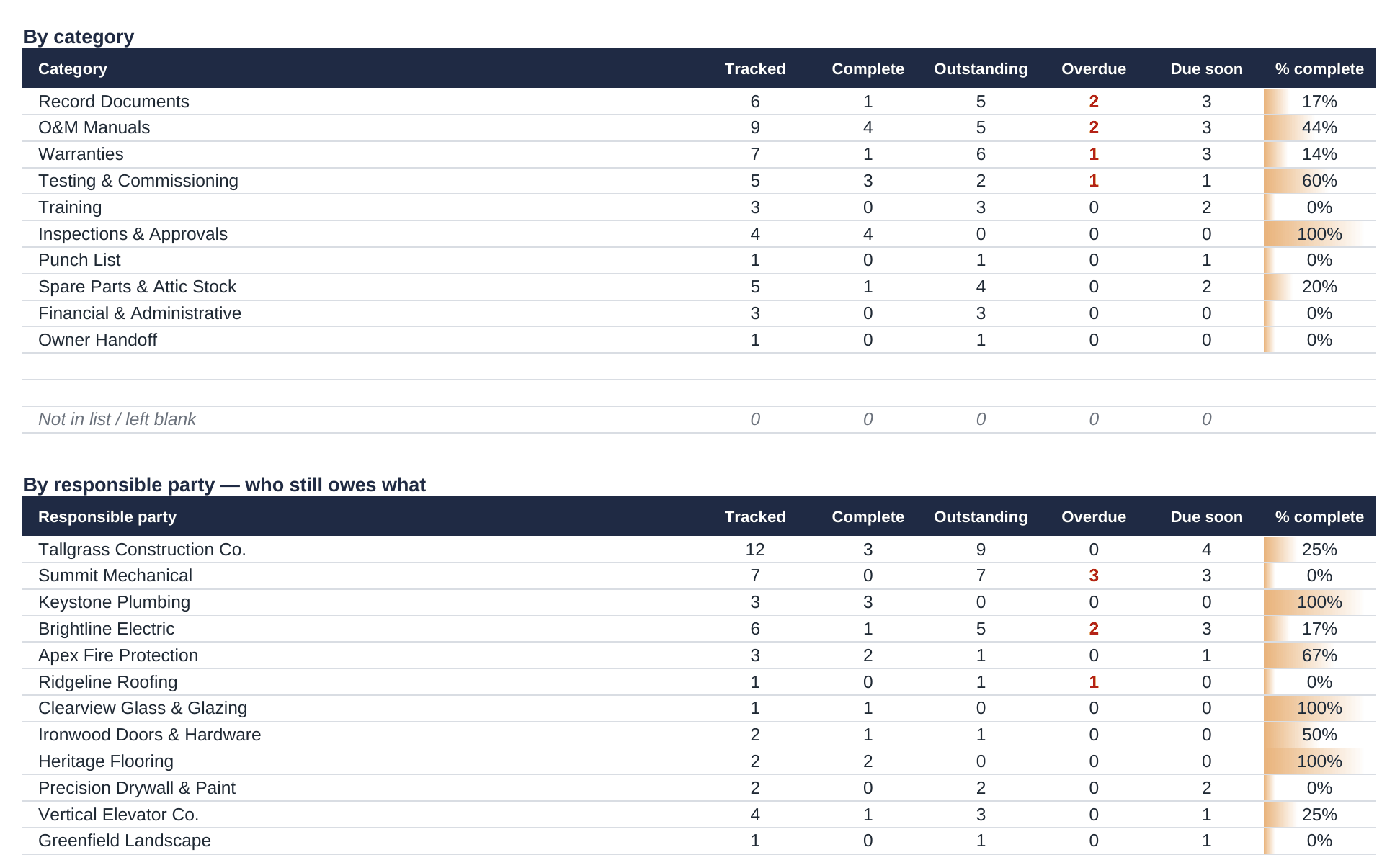
- Master Closeout Tracker (Excel). One register for as-builts, O&M manuals, warranties, test reports, training, inspections, attic stock and financial closeout. A dashboard totals it by status, category and responsible party and lists the ten most overdue items.
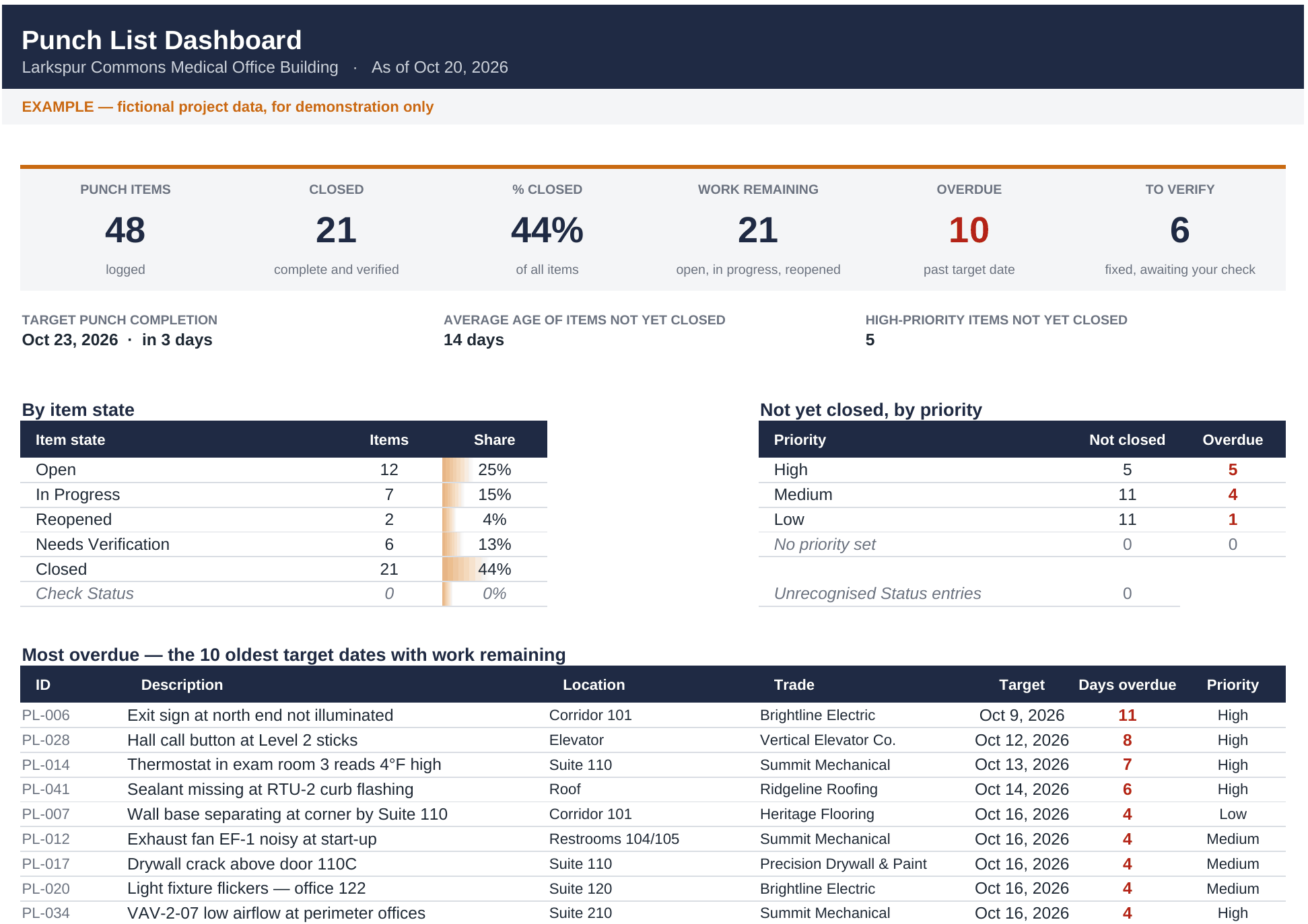
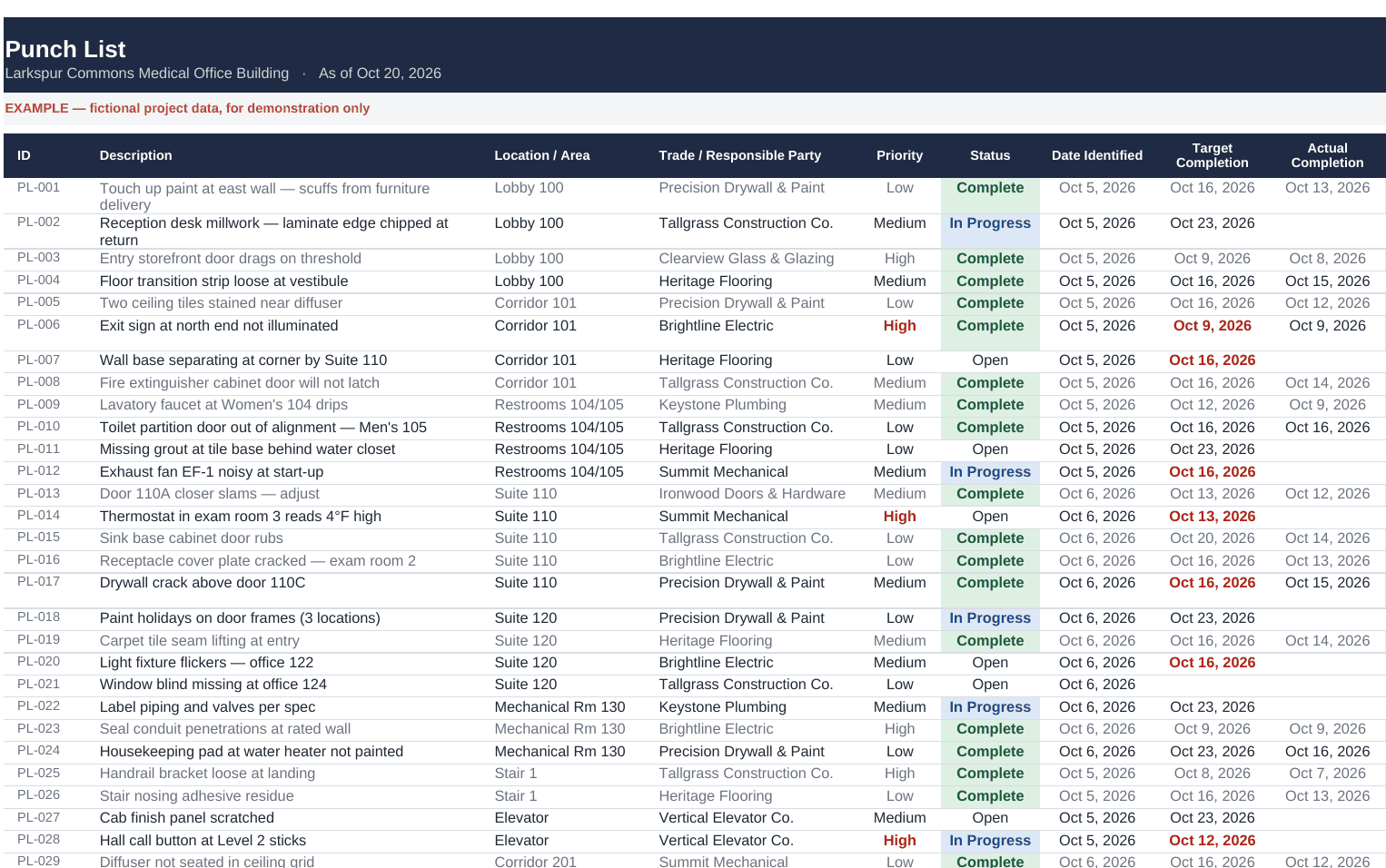
- Punch List Tracker (Excel). Up to 500 items with location, trade, priority and dates. Items close in two steps (the trade completes, you verify) and a rejected fix goes back on the open list. Dashboard by trade and area.
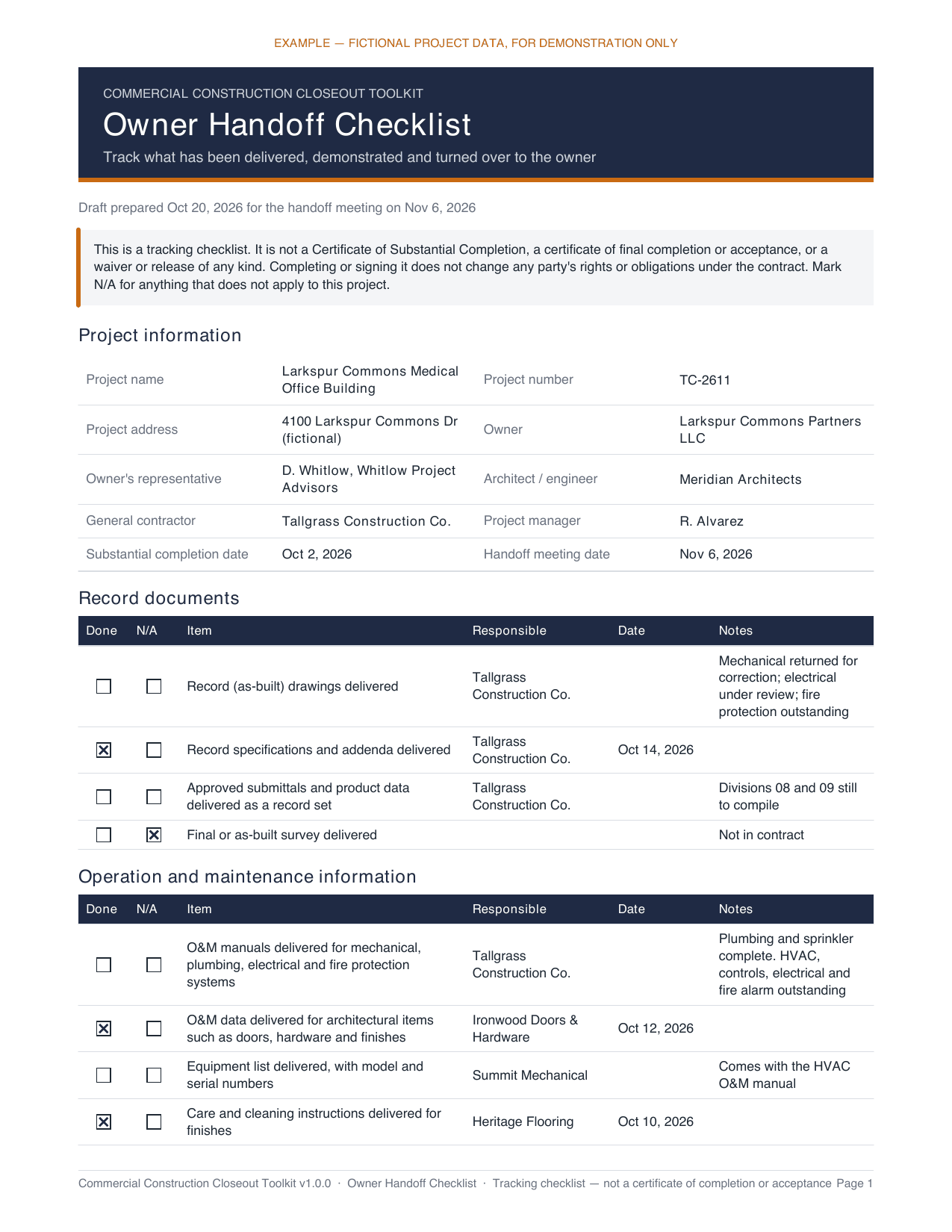
- Owner Handoff Checklist (Word and PDF). A meeting checklist for turning the building over, with room for open items and a sign-off that records what was reviewed.
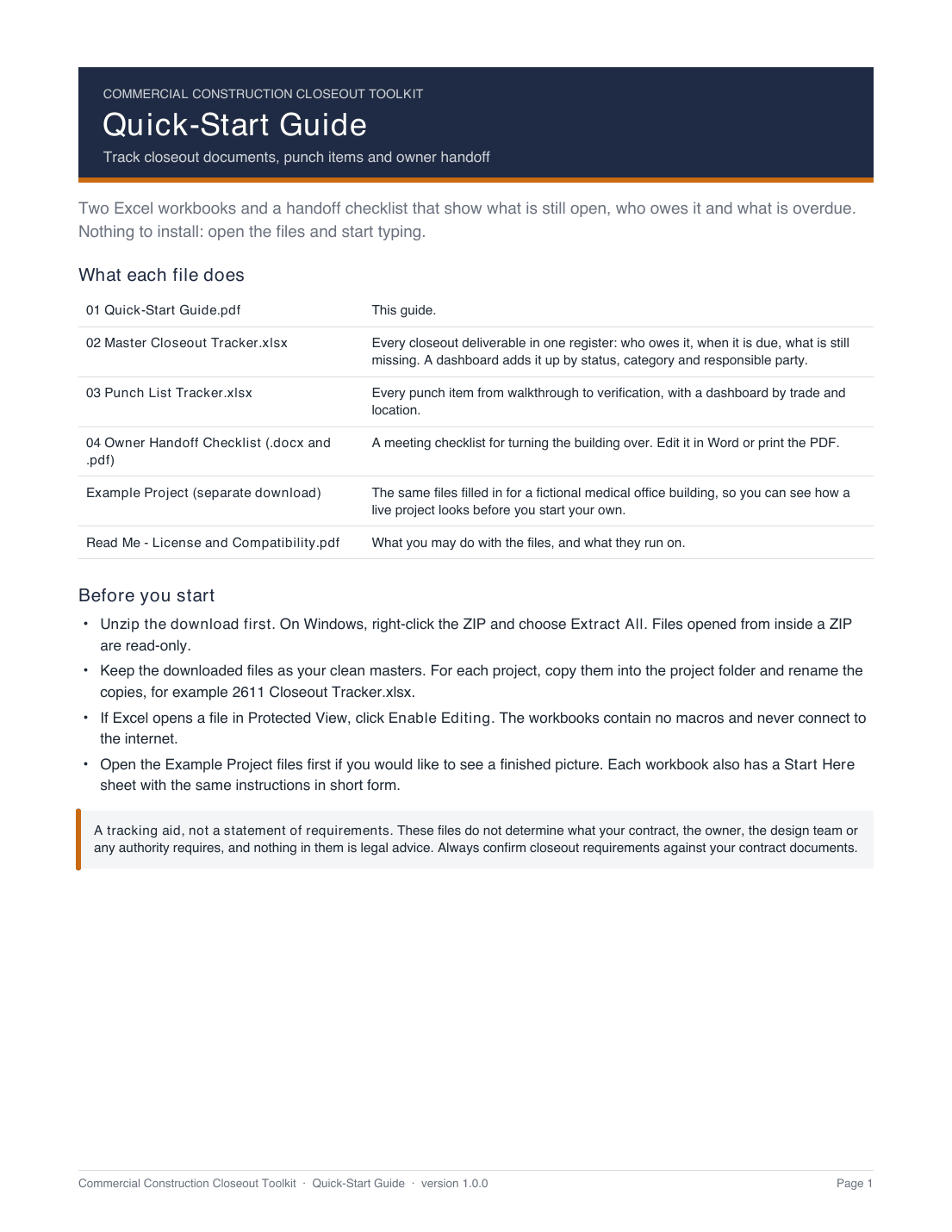
- Quick-Start Guide (PDF). Nine illustrated pages, including a walkthrough of the example project and a troubleshooting table.
- A complete example project. Every file filled in for a fictional medical office building, with overdue, returned and reopened items, so you can see a live project before you start your own.
What it looks like
These images are rendered from the finished example files. All names and data in them are fictional, and the EXAMPLE label stays visible. They are LibreOffice renders, so fonts and in-cell bars differ slightly from Excel.
How it works, in plain terms
- Built around chasing subs. The by-party table shows outstanding and overdue counts for each subcontractor. Filter the register to one name and you have the list to send them.
- You decide what applies. The 44 starter deliverables arrive marked "Review", not "Required". Your specifications and contract decide what is required, and the dashboard counts what you have not yet decided.
- Overdue means overdue. A submitted document that has not been accepted still shows as overdue.
- Sort and filter freely. Item numbers stay with their rows.
- Plain Excel. No macros, no add-ins, no account, no subscription. Works offline.
Free templates exist. Why would you pay for this?
Several companies publish free closeout checklists and punch-list sheets, and they are fine for a single list. This toolkit is aimed at a different job: tracking many deliverables across many subcontractors on one project, with dashboards that total what is overdue by company, plus a worked example and a handoff checklist. If a free sheet already does what you need, you may not need this, and the form below lets you say so.
Who it is for, and who it is not for
- Project managers, project engineers and owners at small commercial general contractors
- Superintendents who run punch lists
- Specialty subcontractors assembling their own closeout package
- Owner's representatives on small projects
- Residential remodeling
- Firms already running closeout in Procore, Autodesk Build or similar software
- Google Sheets or Apple Numbers users (Microsoft Excel and Word only)
Good to know
- For Microsoft Excel and Word (Microsoft 365, or 2016 and later) on Windows or Mac. Checked on Microsoft 365 for Mac and Windows; older versions have not been tried.
- US Letter paper and US date formats.
- A tracking tool. It does not tell you what your contract requires and is not legal advice. The handoff checklist is not a certificate of completion or acceptance.
- Created with AI-assisted tools and tested in Microsoft Excel and Word on macOS and Windows.
Would you buy this for $39?
Tell me honestly. The form asks about your role, what you use today, and whether $39 would be a yes, a maybe or a no. "No" and "not for me" are useful answers.
I'd buy this for $39 (no payment, no commitment)
This opens a short survey (about two minutes). It does not place an order, takes no payment and asks for no card details. If the toolkit goes on sale I will not charge you anything because you filled it in.
What I do with your answers
The survey does not ask for your name, company or email. At the end there is an optional box, with a tick-box for consent, if you want a single email when the toolkit is available. Leave it blank and no contact detail is kept. Answers are used only to decide whether to sell this product and how to describe it. They are not sold or shared.